Instructions: Scope Integration
Introduction
There are multiple ways to implement the integration between the Zeropoint Scope managed attribution solution and your environment including:
- Configuration of proxy settings to forward directly to the Zeropoint load-balancing proxy in the cloud within:
- the browser; or
- operating system
- Deployment and configuration of a forwarding proxy accessible from the endpoint (either deployed locally within your endpoint’s local network or in the cloud) which then forwards to Zeropoint’s load-balancing proxy (parent proxy over TLS).
Regardless of which method for integration that was selected, the public IP address(es) from which traffic is received by Zeropoint’s cloud infrastructure must be communicated to the technical point-of-contact at Zeropoint Security Corp via ops [at] zeropointsecurity.com. Once the public IP address has been communicated and confirmed, it will be added to an allow list granting access to traffic arriving from that IP address.
Warning
The Scope managed attribution network will forward HTTP/HTTPS traffic sent to a Scope load-balancer through a pool of egress nodes distributed across geographic locations and infrastructure providers as determined by the Proxy Auto Configuration (PAC) file used to configure it. DNS requests are sent thru the Scope service and resolved by egress nodes.
It will not prevent adversaries from determining the source of this traffic if clients misconfigure their endpoints and environment. Scope can only obfuscate traffic that gets forwarded to it. Zeropoint cannot stop you from shooting yourself in the foot.
Zeropoint also provides no obfuscation on the endpoint. Clients are responsible for mitigating against disclosure of their identity by any means beyond the source IP address in HTTP/HTTPS traffic. Examples include but are not limited to:
- Browser fingerprinting
- WebRTC/Stun IP leaks
- Recursive DNS leaks
Clients should consider blocking outbound traffic from leaving their environment destined for anywhere other than the Scope loadbalancer / domain to avoid leakages of their real public IP.
PAC File URLs
One or more URLs will be provided to Scope clients to access Proxy Auto Configuration (PAC) files which can be used to configure the integration of Scope in the endpoint or forwarding proxy. The specific file used can change:
- the geography of the nodes used to egress to the Internet; or
- enable sticky sessions which allow end users to use the same random IP address for a session
Determining Public IP Address of Your Endpoint/Environment
The public IP address of your endpoints / environment can be determined by opening a browser in the and navigating to one of the following websites:
Enable Scope in the OS Settings
Brief instructions are available below for configuring the Scope integration on various operating systems. These instructions are subject to change with OS menus. Consult the documentation of your OS if the instructions do not match.
Windows 10
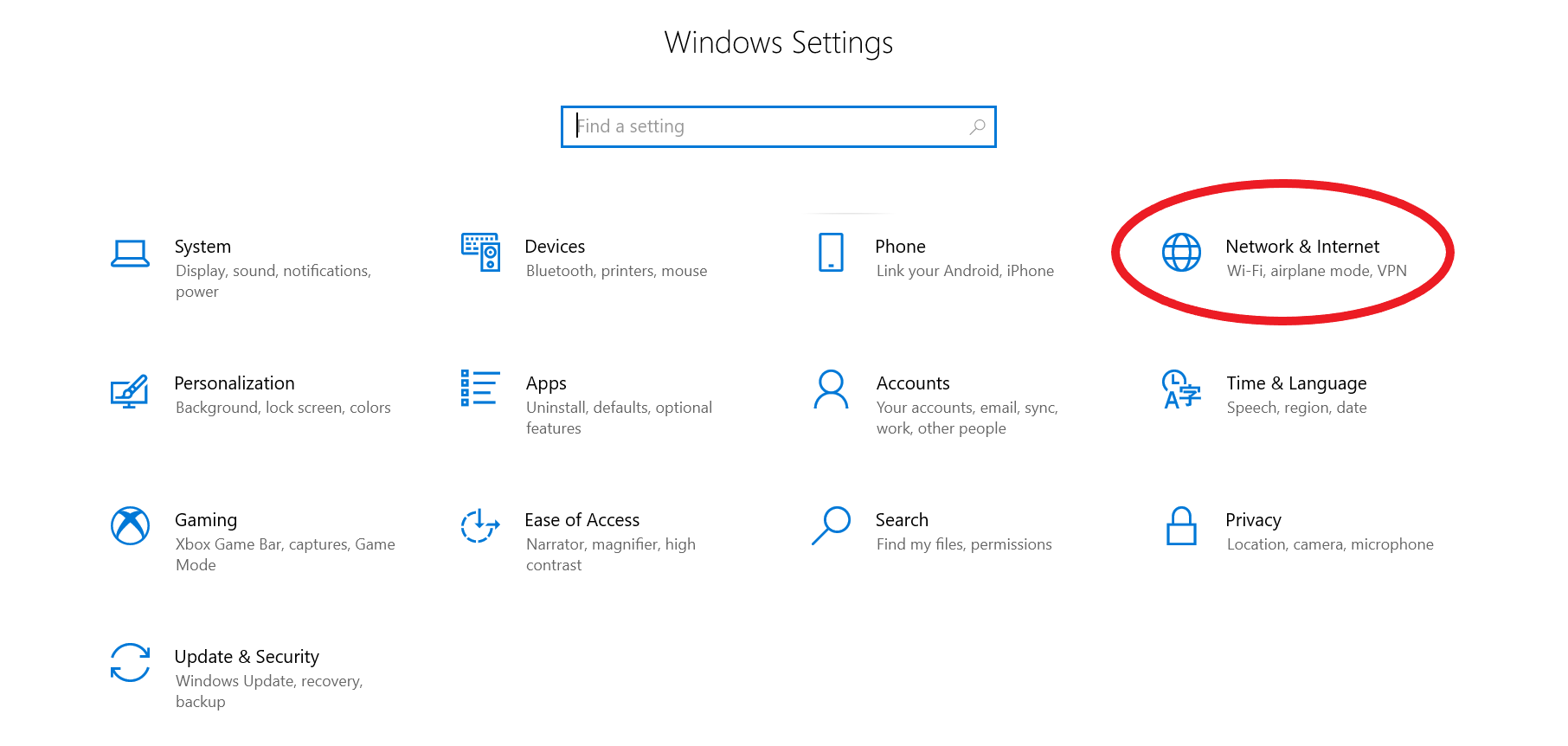
- Open the Change proxy settings by searching that term in the Windows search function or by accessing Settings –> Network & Internet –> Proxy (left side menu)
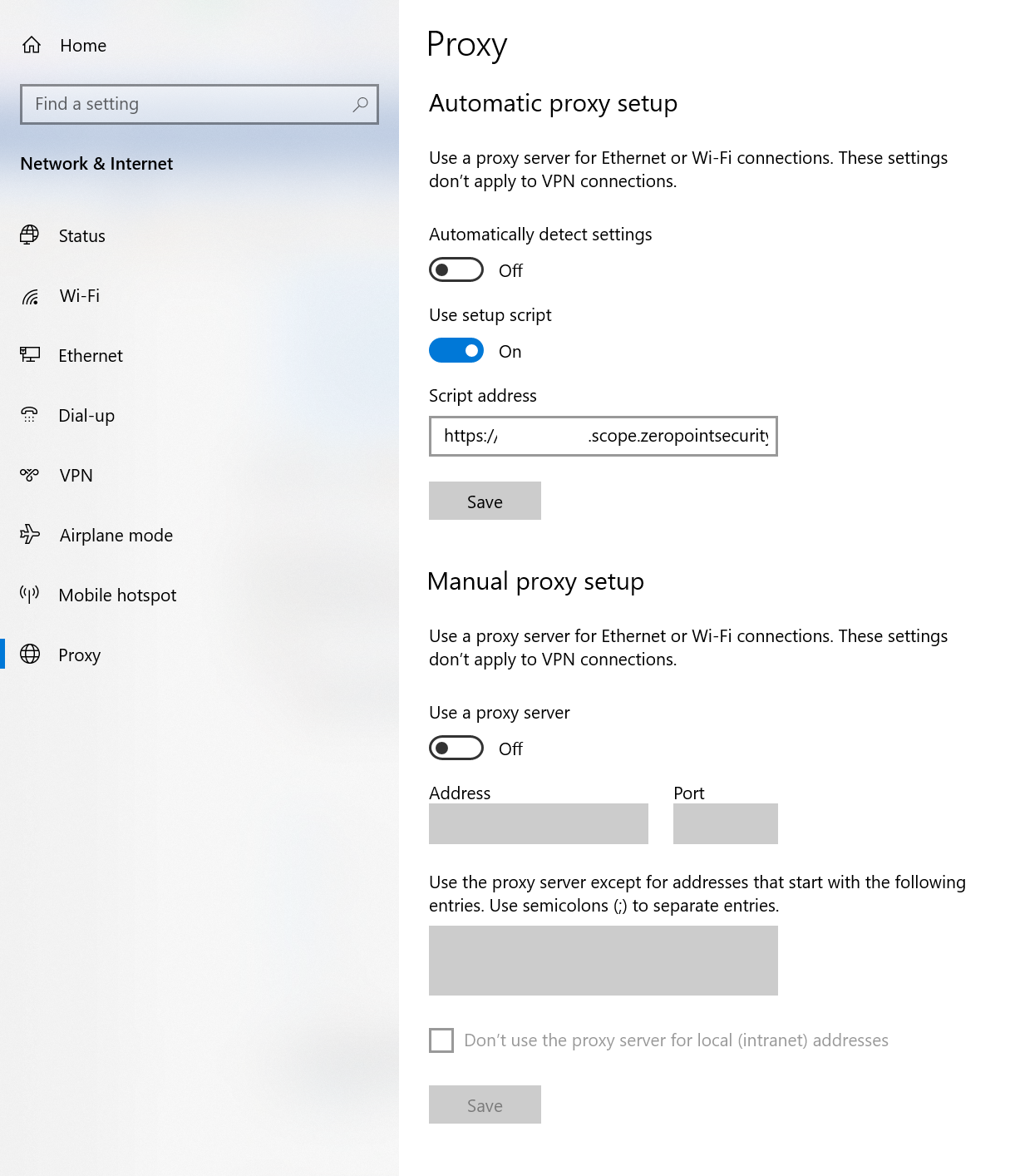
- Under the Automatic proxy setup heading, turn on Use setup script
- In the Script address field, enter the PAC file URL provided
- Click Save.
MacOS
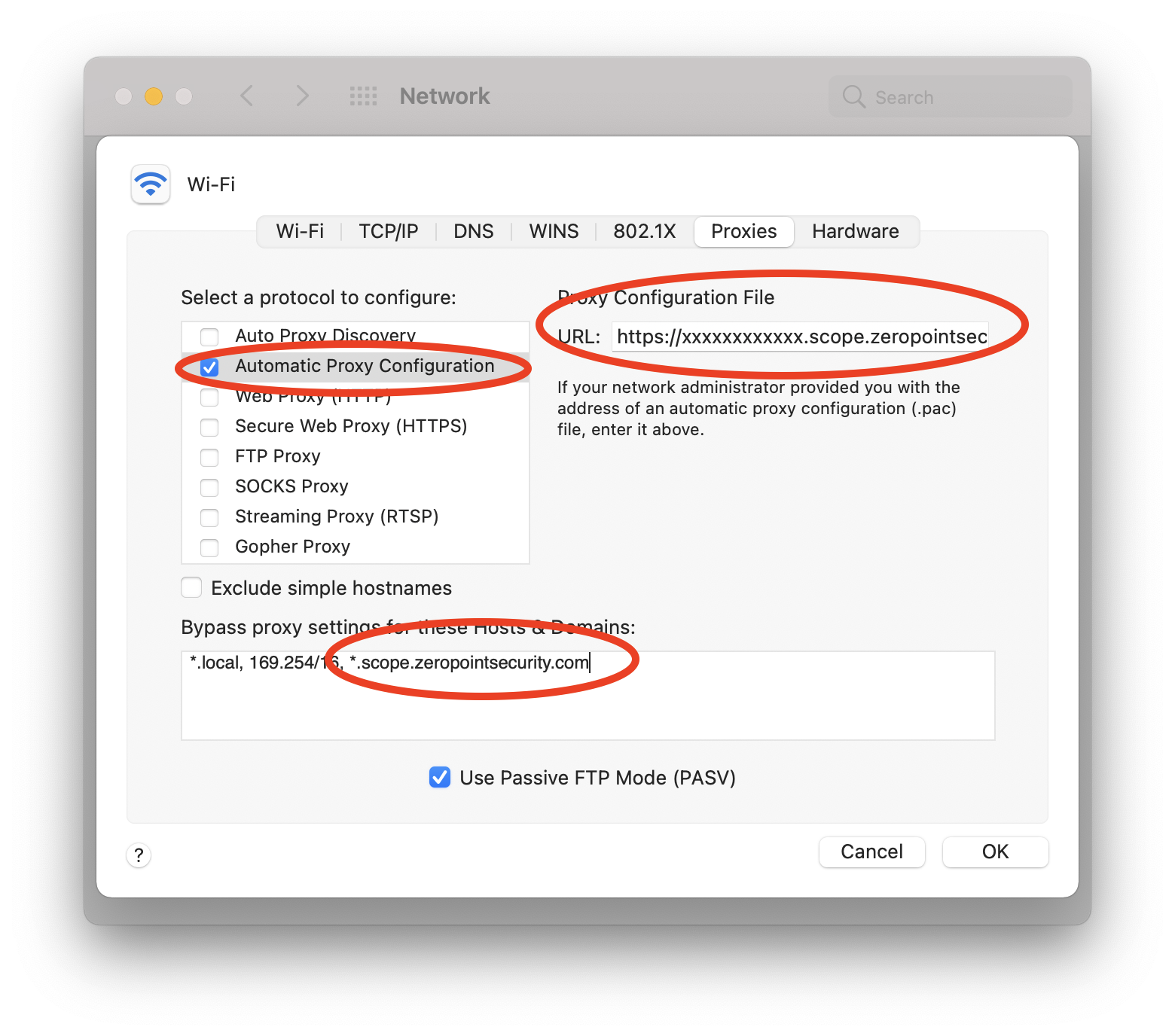
- Open System Preferences –> Network
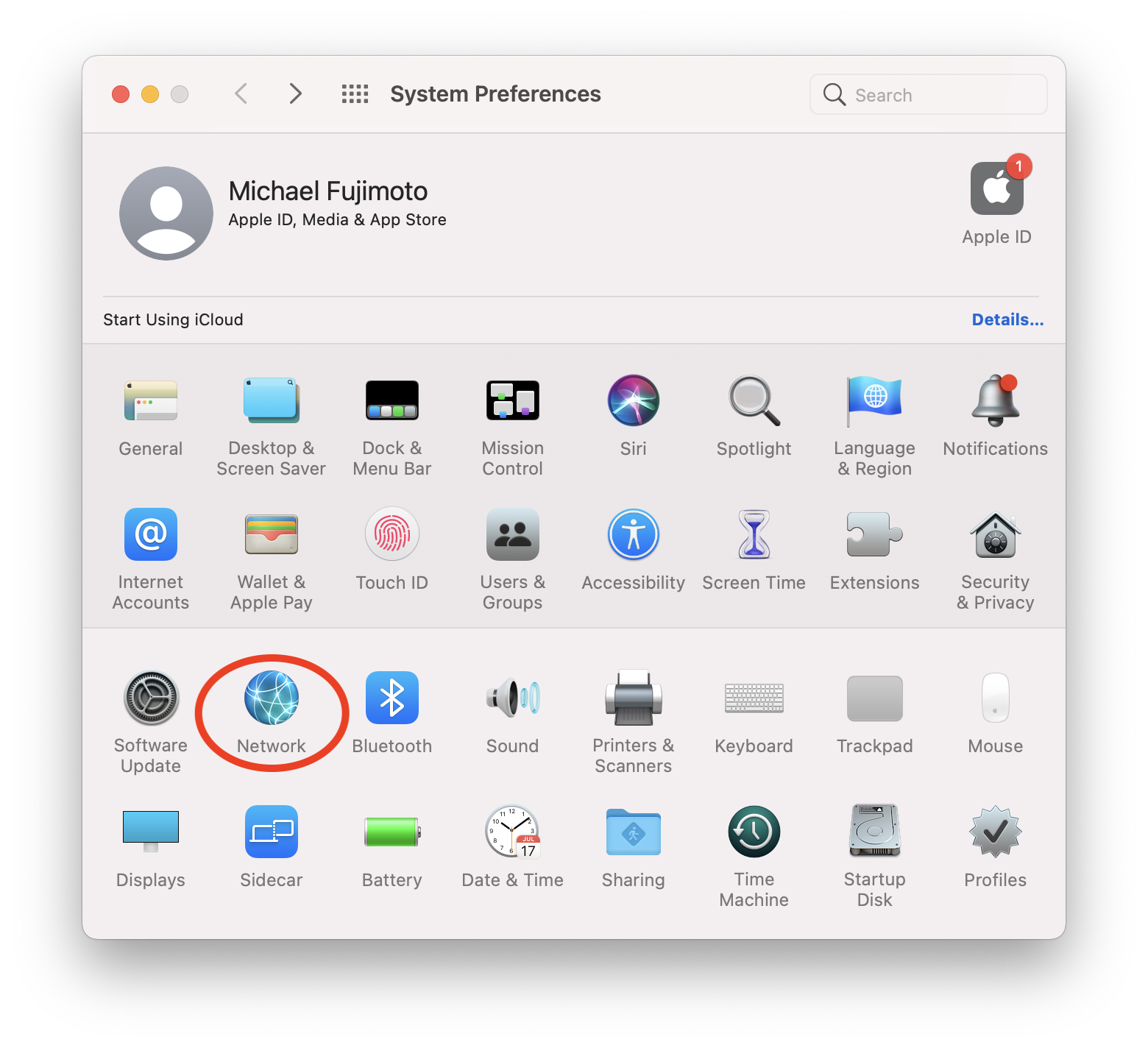
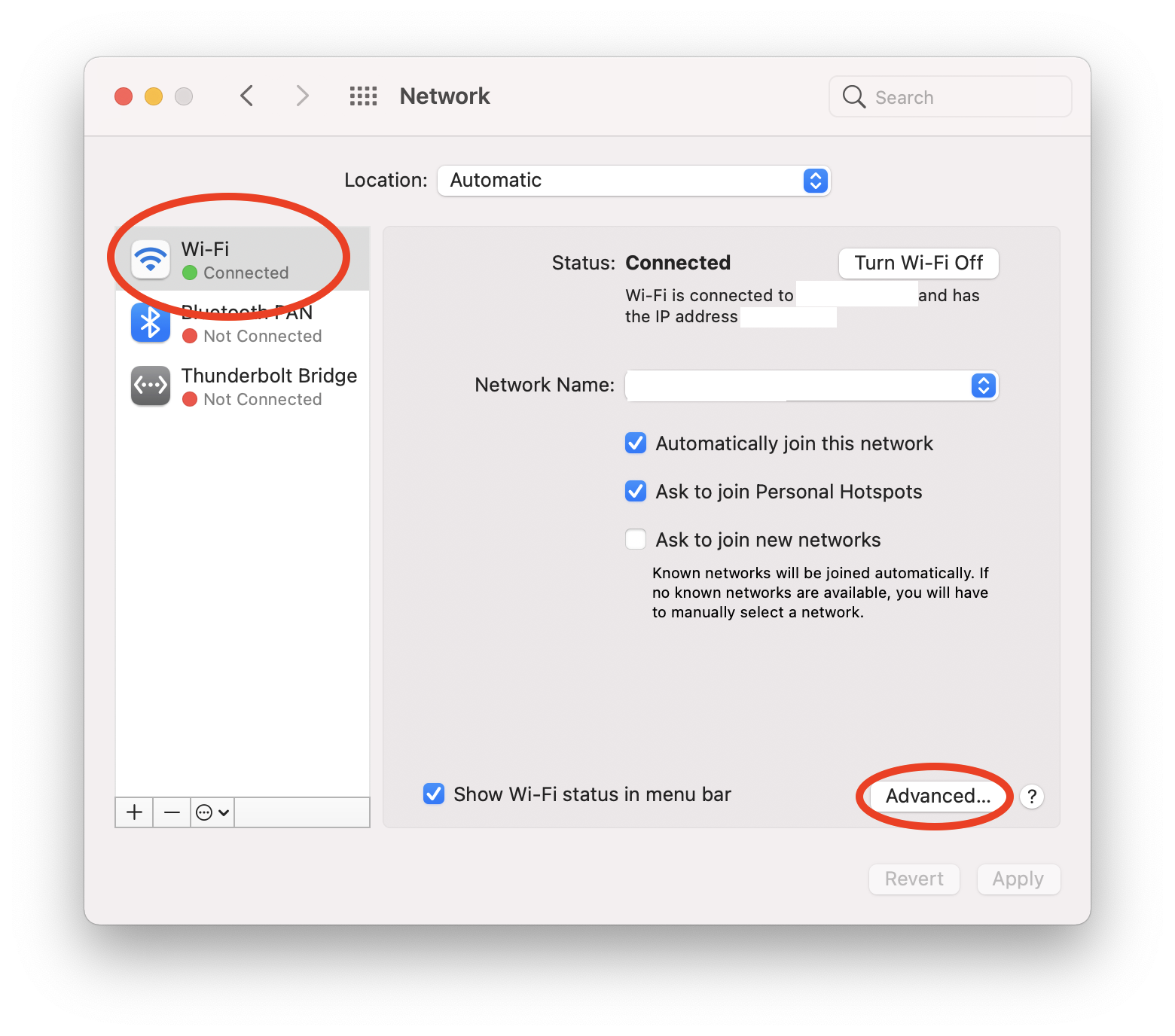
- Highlight your primary interface on the left side of the menu
- Click on Advanced…
- Select the Proxies tab
- Select Automatic Proxy Configuration on the left side
- Add the PAC file URL in the URL field
- Under Bypass proxy settings for these Hosts & Domains append *.scope.zeropointsecurity.com
Ubuntu Desktop
- In Ubuntu’s settings, click on Network in the left side menu.
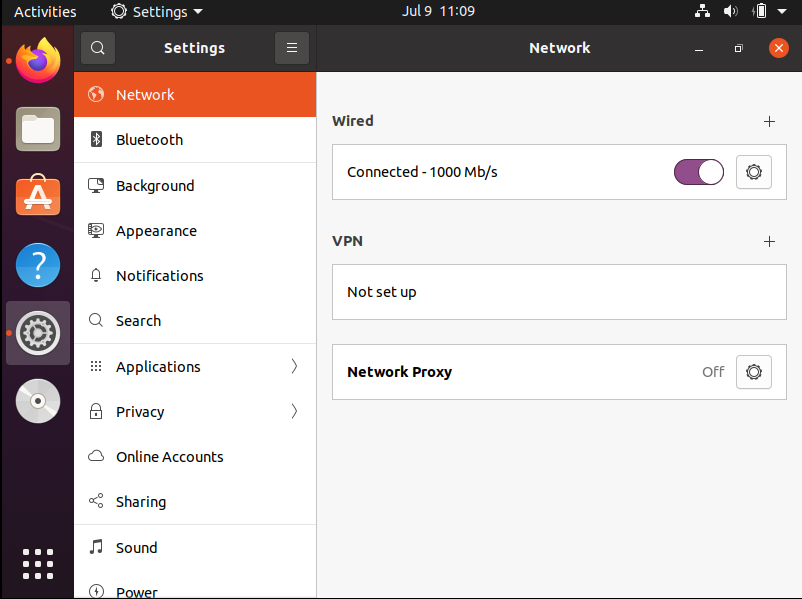
- Click on the Gear icon to the right of Network Proxy beside ‘Off’.
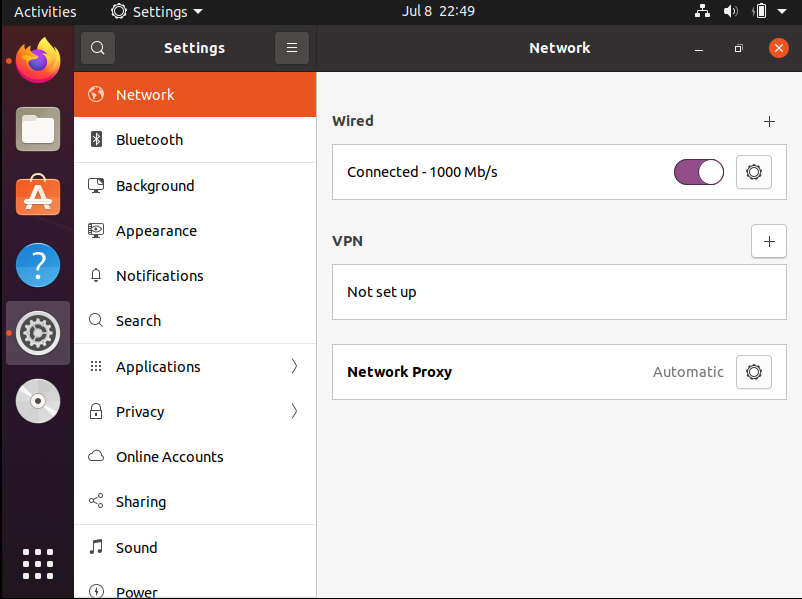
- Click on Automatic, enter the PAC file URL provided by Zeropoint in the Configuration URL field, and then close the window.

- The settings should now appear as below with Automatic appearing beside the Gear icon.
Enable Scope Integration via Browser
The integration between your endpoint and Scope can also be configured directly in certain browsers (i.e. Firefox). Certain browsers do not provide the ability to configure a proxy, but instead, respect the proxy settings of the OS as configured above (i.e. Chrome, Edge).
Firefox
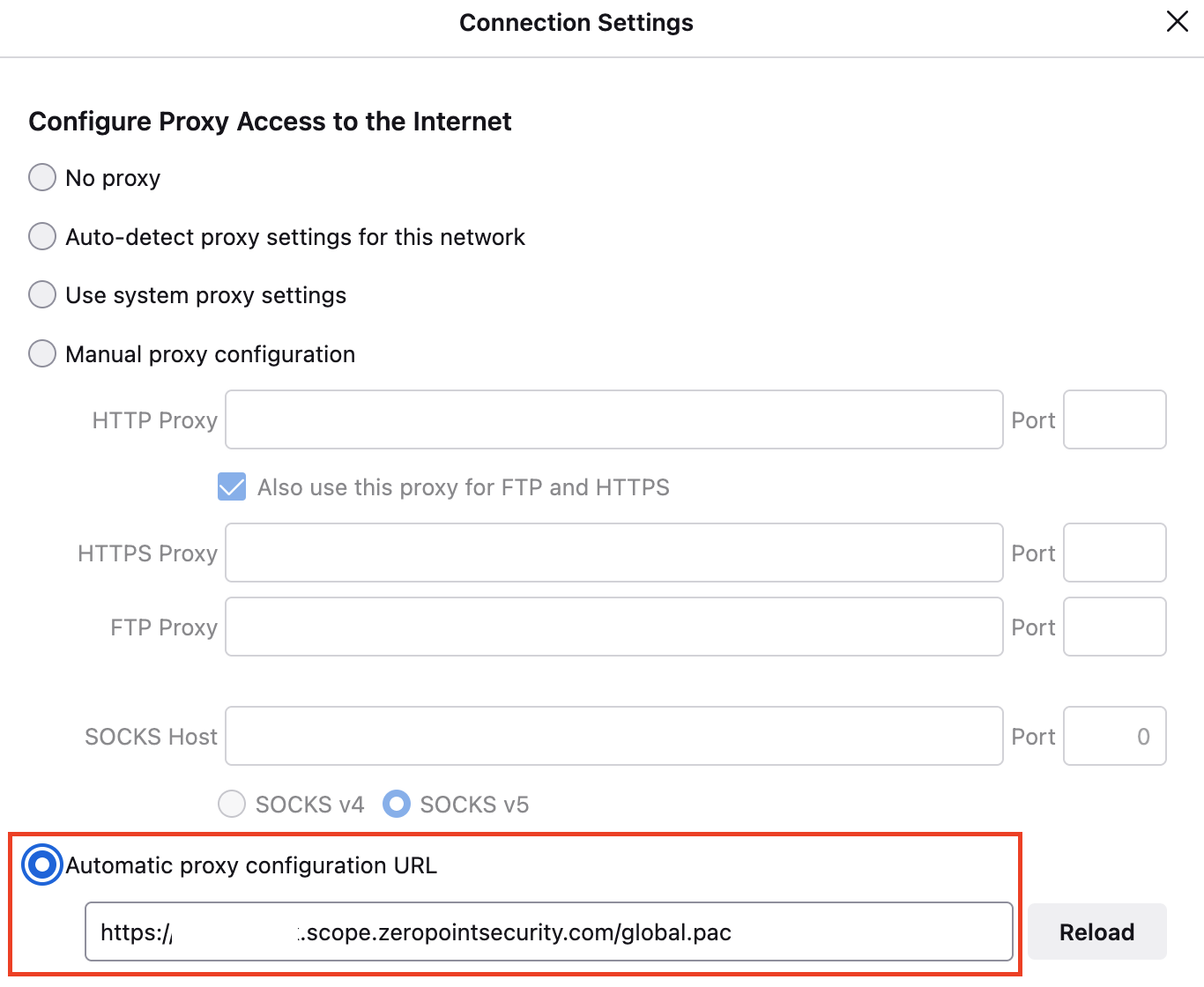
- In Firefox preferences, go to General, Network Proxy and click on Settings
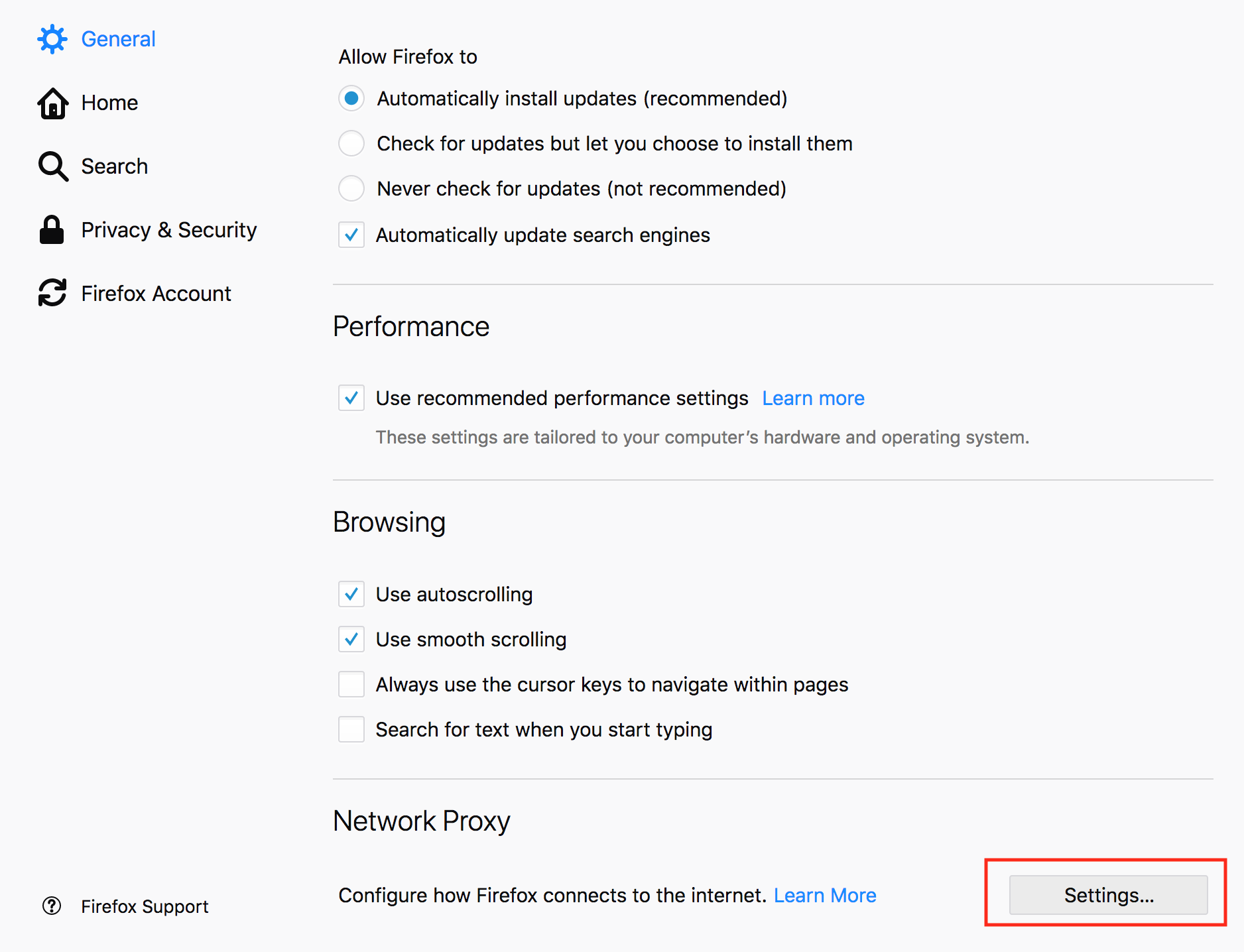
- Set the Automatic proxy configuration URL to the provided PAC URL
Deploy and Configure a Forwarding Proxy
Alternatively, a Scope client could configure a proxy at the OS or browser level to point at a local proxy server (i.e. Squid proxy) which would be configured to forward traffic to a parent proxy over TLS. Multiple instances could be deployed that are configured to use different PAC files or ports on the same host allowing the client to select which profile of settings it wants to use.
Squid Proxy
Documentation on configuring a parent proxy using Squid can be found here: Squid Docs
This should be deployed, configured, and maintained by an IT professional.